QC Cloud Platform: Batch Manufacturing Operations with Streamlit
Accelerating production workflows using barcode scanners and an interactive Streamlit interface.
4/4/20255 min read
The most boring tool I've built had the biggest effect on our manufacturing throughput. It's a Streamlit application — a Python web app — that pairs 1D barcode scanners with a batch-oriented test workflow, lets multiple operators log in and run tests in parallel, and writes structured QC results into the same audit-ready record store the rest of the production stack uses. It replaced a legacy interface that bottlenecked the line, and the result was a roughly 10x increase in manufacturing throughput with no degradation in quality records. This post is about why a tool that sounds this unglamorous mattered as much as it did.
The bottleneck I didn't initially recognize
Before this project, the QC interface for production testing was a desktop application running on a single workstation. Operators would queue up at the workstation, run their tests one device at a time, and move on. The application worked. It was reliable. It produced correct records. The problem wasn't that it was broken; the problem was that it was a bottleneck.
I didn't initially see it as a bottleneck because it didn't fail. Single-operator software fails by being slow, by being buggy, by giving wrong answers — and ours wasn't doing any of those things. What it was doing was forcing the entire QC team to flow through one terminal, one keyboard, one screen, one workflow at a time. That's a queueing problem, not a software problem, and queueing problems are easy to miss because the software performs perfectly while the line behind it is what's struggling.
Once I noticed the shape of the bottleneck, the design problem became clear: we needed an interface that any operator could use from any browser on the production network, with each operator able to run their own batch in parallel with the others, and with all of their work flowing into the same canonical record store.
Why Streamlit
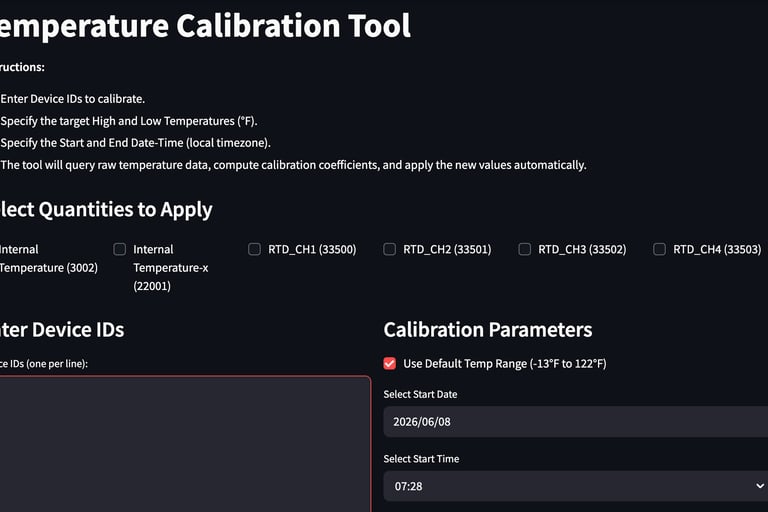
We picked Streamlit because the alternative was to write a full-stack web application, and the team was small enough that a full-stack web application would have taken months we didn't have. Streamlit lets you write a Python script and get a working web interface back, with widgets, file uploads, tables, login, and a reasonable layout, with effectively zero front-end code.
There's a tradeoff here that's worth being honest about. Streamlit is not what you'd reach for if you were building a customer-facing product. The interaction model is rerun-on-change, which is great for dashboards and dataframe-shaped tools and awkward for tightly state-driven workflows. The styling options are limited. The performance ceiling is fine for internal tooling and bad for high-traffic public sites.
For an internal manufacturing tool, used by five operators, on a known network, with workflows that are batch-oriented by nature, all of those tradeoffs were the right ones. We got to working software in days rather than months. The team could iterate on the interface based on real operator feedback faster than any other technology choice would have allowed.
Barcode scanners as the input device
The decision that mattered most to the throughput change wasn't the choice of Streamlit. It was the decision to design the workflow around 1D barcode scanners as the primary input device.
Every device coming off the line has a barcode with its serial number. Every operator has a scanner. The Streamlit app's primary inputs are scanned, not typed: scan operator badge to log in, scan device serial to start a test, scan station identifier to associate the test with the right equipment. Typing is reserved for the few cases where freeform input is genuinely needed (notes, occasional override values), and even those are pre-filled when possible.
Barcode scanners are not exotic. Every supermarket has them. But in the context of the previous workflow — type the serial number, type the operator ID, type everything — they were transformative. Typing a 10-character device ID takes seconds, and over a shift those seconds compound into a real fraction of the work day. Each typed character is also a chance to make an error. Scanning a barcode takes a fraction of a second and produces no errors. Multiplied across thousands of operations a week, the difference is absurd.
Multi-user, parallel batches
The other key design decision was to make the application multi-user from the start. Each operator has their own session, can be working on their own batch, and can complete it without waiting for anyone else. The application uses the QC API to write records, which means concurrent writes are coordinated at the API layer rather than in the front-end.
Concretely, an operator's flow looks like this. Scan badge to log in. Select "new batch" or resume an existing one. Scan the first device. The application loads the device's record, shows the required tests for its device type (pulled from the test definitions endpoint), and presents an interface for running each test. Scan the next device when the first is done. The application keeps a per-operator working set, so an operator can move between several devices in a batch — running test A on five units, then test B on the same five — without losing track.
Behind the scenes, every action posts to the QC API, which writes the canonical record. The Streamlit app is genuinely a thin client; the source of truth is in the API and the database. If the Streamlit app crashed mid-batch (it doesn't, but if it did), the operator could refresh, log back in, and pick up where they left off, because all the state lives elsewhere.
Standardized records, opinionated workflow
The application is opinionated about how tests get run. Required tests for a device type are presented in a defined order. Pass criteria are pulled from the test definitions, not entered by the operator. Failure modes have structured prompts so the operator records what failed in a consistent format rather than freeform prose.
This is the kind of constraint that operators initially push back on and, after a week, prefer. The opinion isn't there to make the operator's life harder; it's there to make the records consistent enough that auditors can read them, that downstream analytics can use them, and that the next operator who picks up a partially-completed batch can understand what's been done. Standardization at the data layer is what makes the Stateful Production model from the Multiplexorama post actually work in practice — every operator's actions produce records of the same shape, regardless of which operator did the work.
The 10x
I want to be careful with the throughput number, because "10x" is the kind of round figure that can sound like marketing rather than measurement. Here's what it actually means in our context: in a comparable shift, with comparable staffing, the new system processed roughly an order of magnitude more devices through QC than the legacy system did. The biggest contributors, in rough order of impact: the parallel multi-user workflow (single biggest factor), barcode scanning (large), the elimination of context-switching between separate tools (moderate), the pre-loaded test workflow that removed operator decision-making for routine cases (moderate). Audit-record completeness was unchanged or slightly improved.
I'm intentionally not putting an absolute number in here, because the right number to publish is the multiple, not the volumes. The takeaway is that the bottleneck was as severe as I'd suspected, and removing it released a large amount of latent capacity that already existed in the team and the equipment but couldn't express itself through the legacy interface.
What I'd do differently
I'd build the operator analytics layer earlier. The Streamlit app records every action, and that data is rich — test durations, failure rates by station, queue depths through the day. We started using that data eventually, but the first version of the app didn't surface any of it back to the team. A simple dashboard for shift leaders showing live throughput and any stations with elevated failure rates would have been valuable from day one.
I'd also commit earlier to authentication that integrates with the rest of the company's systems. The first version had its own user management, and migrating it to the central identity system later was friction that would have been smaller if I'd done it up front.
The lesson
The biggest takeaway from this project is one I've come back to several times since. The most impactful tools you can build are often the ones that look least technically interesting on paper. A Streamlit app with barcode scanners is not the kind of thing you put in a portfolio to impress a hardware engineer. But it is the kind of thing that, properly designed, unlocks an order of magnitude of capacity in an organization. Pay attention to where the queues are forming. The boring fix to a queueing problem is almost always the highest-leverage work available.